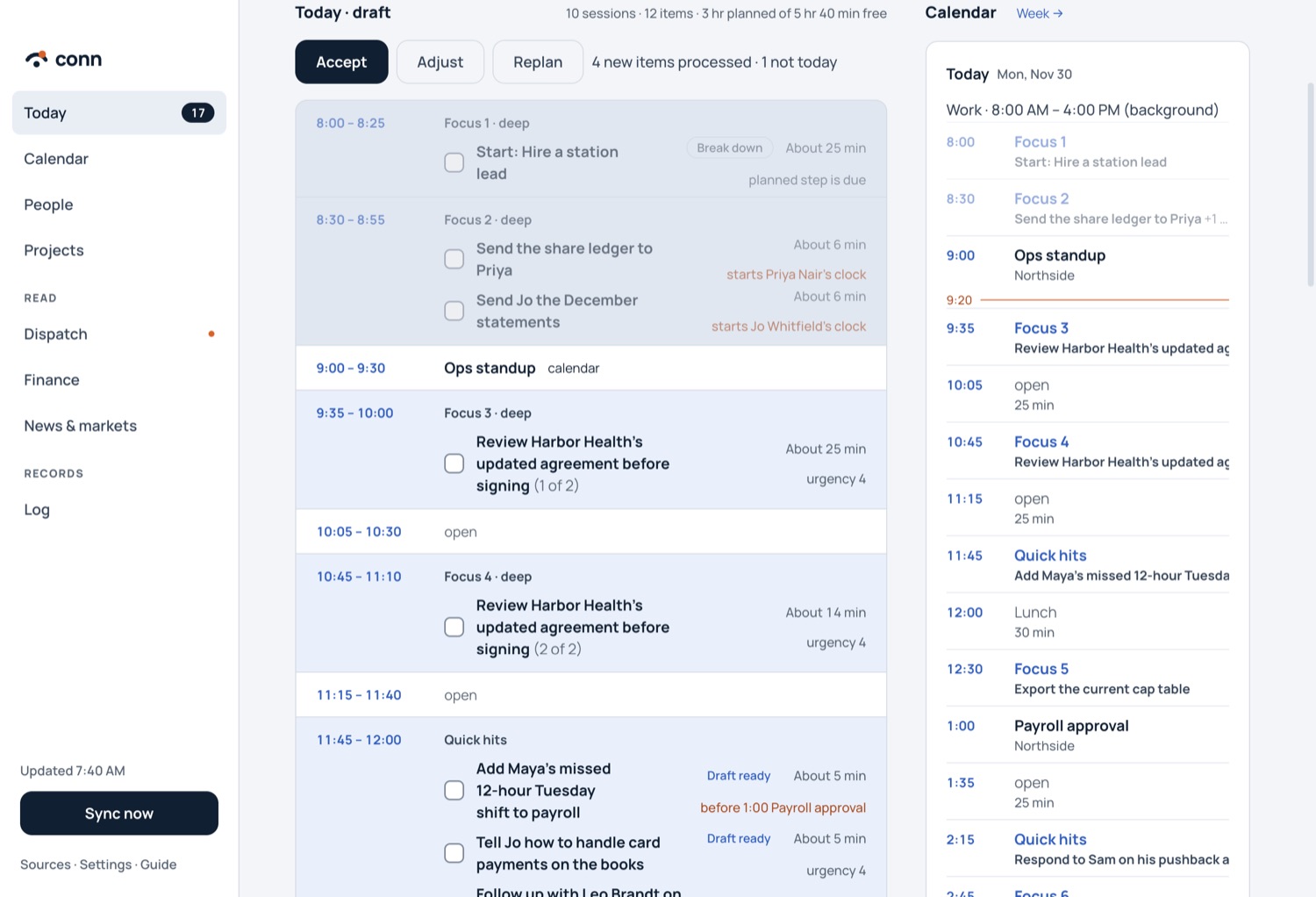
One short list of what needs you today.
conn reads your mail, messages and calendar on your Mac, sorts out what actually needs you, drafts the replies, and plans your day around your meetings. You approve everything. Your data stays on your Mac.
Download for Mac
Version 0.1.2 · free while in beta
-
It reads; you decide
conn sorts and drafts. Nothing is sent, and nothing goes on your calendar, unless you switch that on and press Send.
-
Your data stays on your Mac
No conn account and no conn server. The only thing that leaves is the text the sorter needs, sent to Anthropic under your own API key.
-
Everything in one place
Outlook and Microsoft 365, iCloud and Gmail, Slack, Messages, WhatsApp, your calendar, a phone system and QuickBooks, each optional.
What you need
- A Mac. Setup takes about fifteen minutes, and you can try it with sample data first.
- A Claude API key of your own from Anthropic. Anthropic bills you directly for what conn uses; you can set a monthly cap in conn.
- At least one mailbox or message source to connect. Microsoft mail is a sign-in; some others need a key or an app password from that service. The setup screens walk you through each one.